
AutoCAD + AutoCAD LT
infrADAC ACAD
Create, edit, audit and export ADAC XML in AutoCAD and AutoCAD LT with the same infrADAC tools and receiver profiles.
Explore ACAD
ADAC XML creation, audit and delivery
Create, edit and audit infrastructure assets in AutoCAD, BricsCAD, 12d Model or MAGNET Office. Deliver ADAC XML with receiver profiles built into the workflow.
infrADAC for your design platform
AutoCAD + AutoCAD LT
Create, edit, audit and export ADAC XML in AutoCAD and AutoCAD LT with the same infrADAC tools and receiver profiles.
Explore ACADBricsCAD Pro + BricsCAD Lite
Use the same infrADAC tools and receiver profiles in BricsCAD Pro and BricsCAD Lite to create, audit and deliver ADAC XML.
Explore BCAD12d Model
Manage ADAC data from 12d Model with dedicated macros and connected desktop workflows.
Explore DCADMAGNET Office / Topcon Office
Create, edit, audit and deliver ADAC assets from MAGNET Office and Topcon Office.
Explore MCADinfrADAC product family
Choose the Plugin edition for the design host, inspect the delivery in infrADAC Map, extend the assessment with Map Pro and use the infrADAC Wiki for manuals, release notes and receiver guidance.
Plugin
Create, edit, audit and export ADAC XML in AutoCAD, BricsCAD, 12d Model or MAGNET Office, including AutoCAD LT and BricsCAD Lite.
Compare Plugin editionsMap

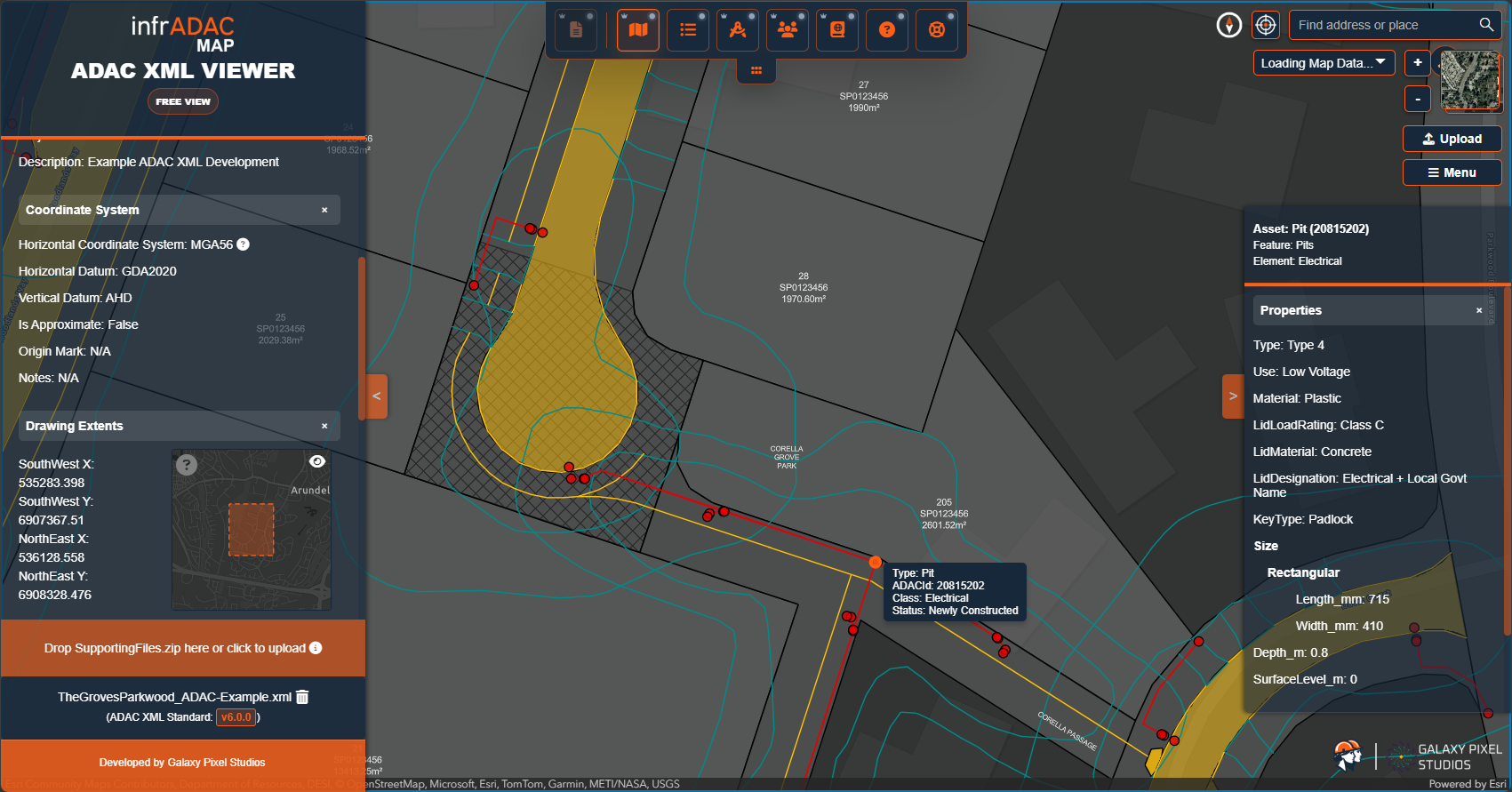
Open exported ADAC XML, inspect mapped geometry and review project and asset attributes without a design host.
Explore infrADAC MapMap Pro

Run profile-aware full audits, review detailed submission evidence and use advanced XML remediation tools in the browser.
Explore infrADAC Map ProWiki

Use current product manuals, downloads, release notes, ADAC guidance and receiver requirements.
infrADAC WikiinfrADAC Map Pro
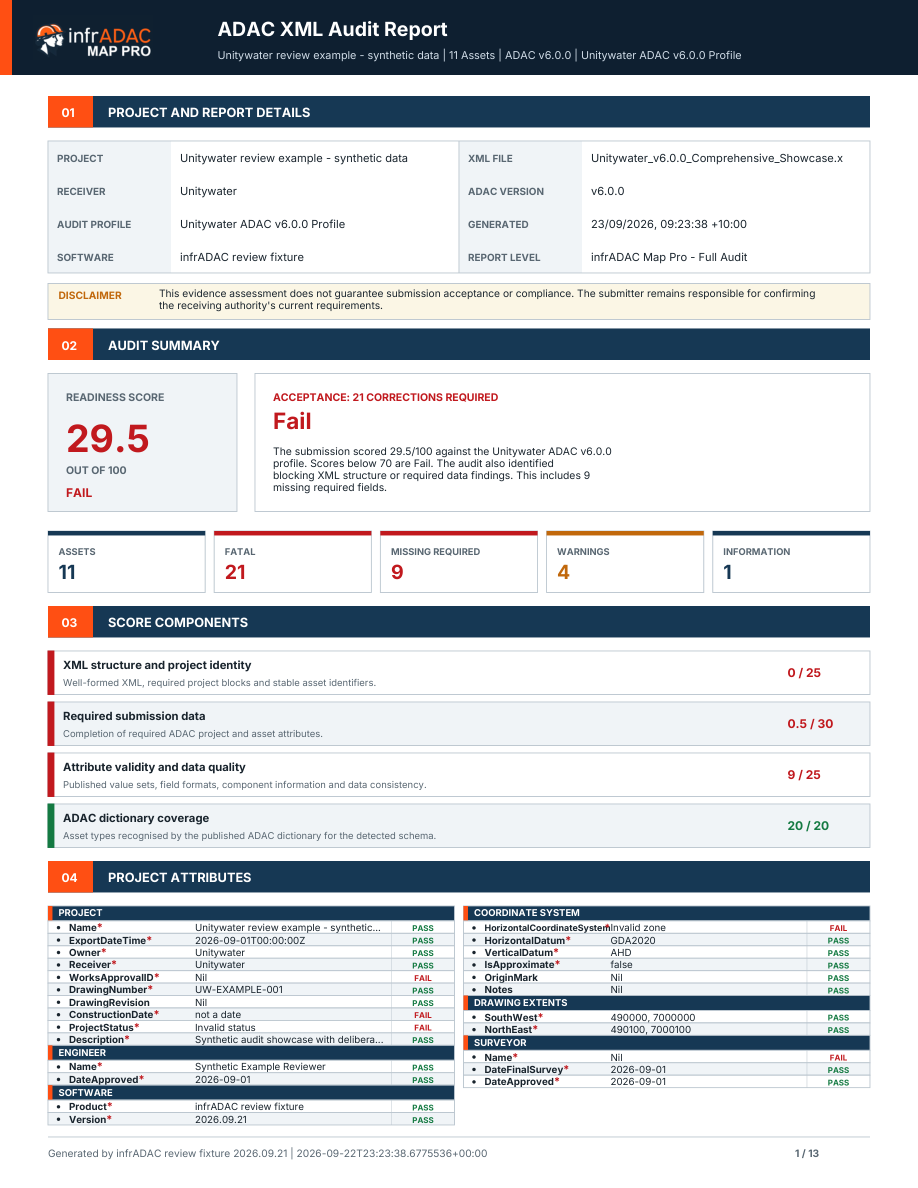
Run a full base schema or entitled receiver profile audit, inspect the findings against the mapped assets and produce a detailed PDF report from the same browser workspace.
Delivery workflow
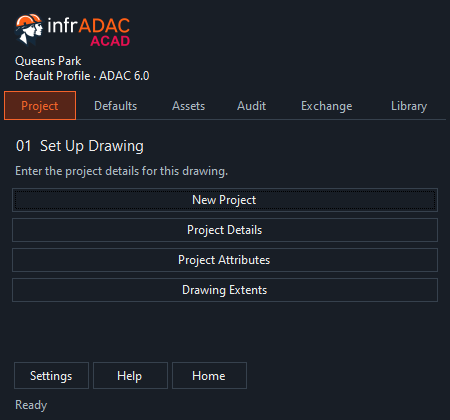
Choose the receiver profile. Enter the project details, extents and shared attributes.
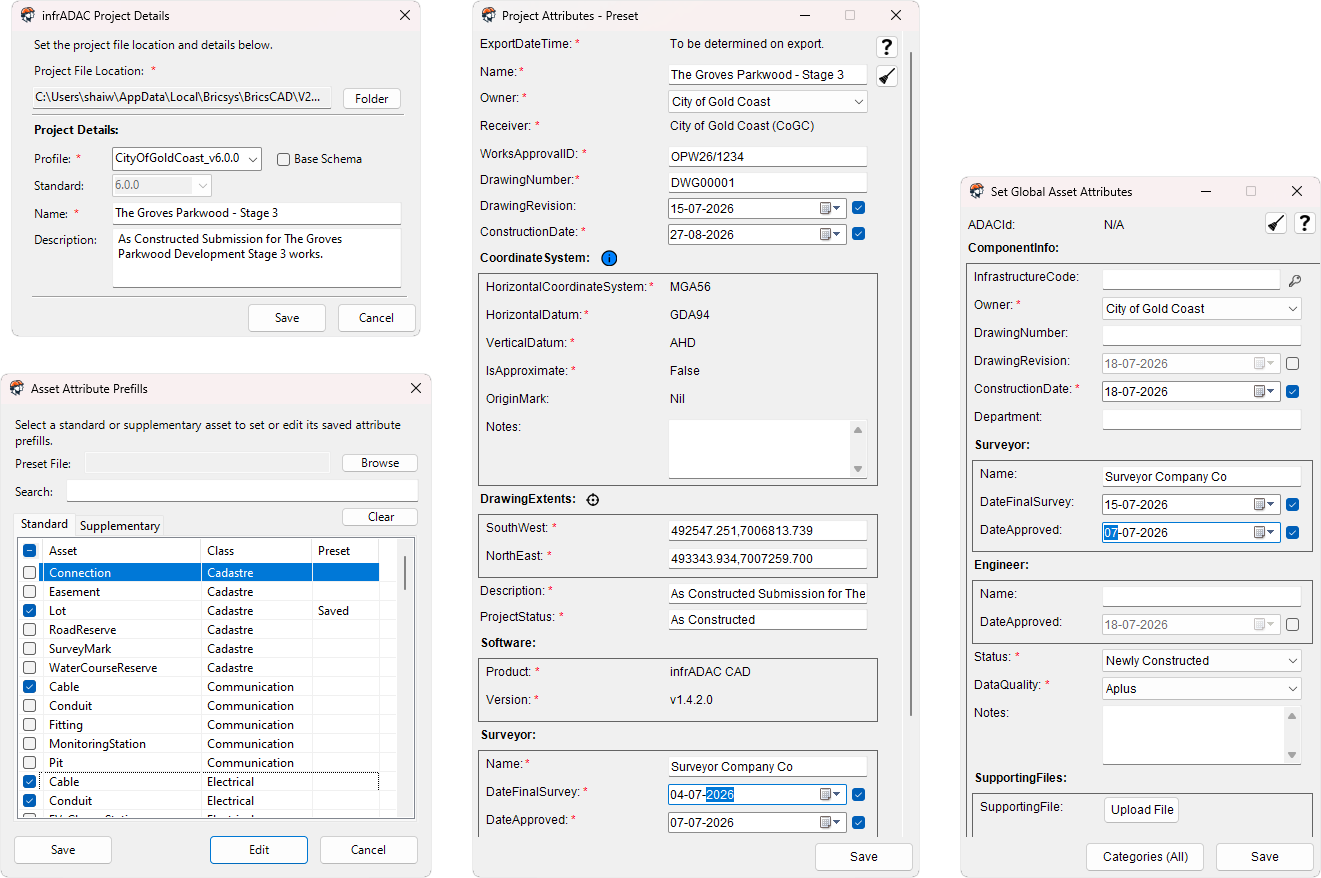
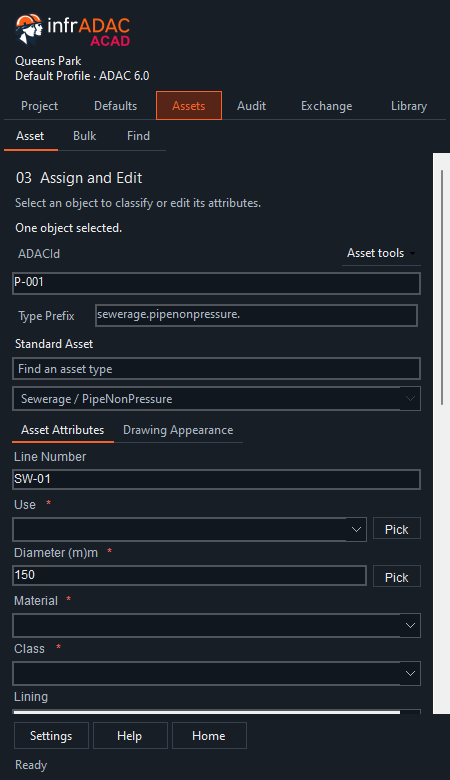
Create standard and supplementary assets from supported design geometry. Complete the required attributes as you work.
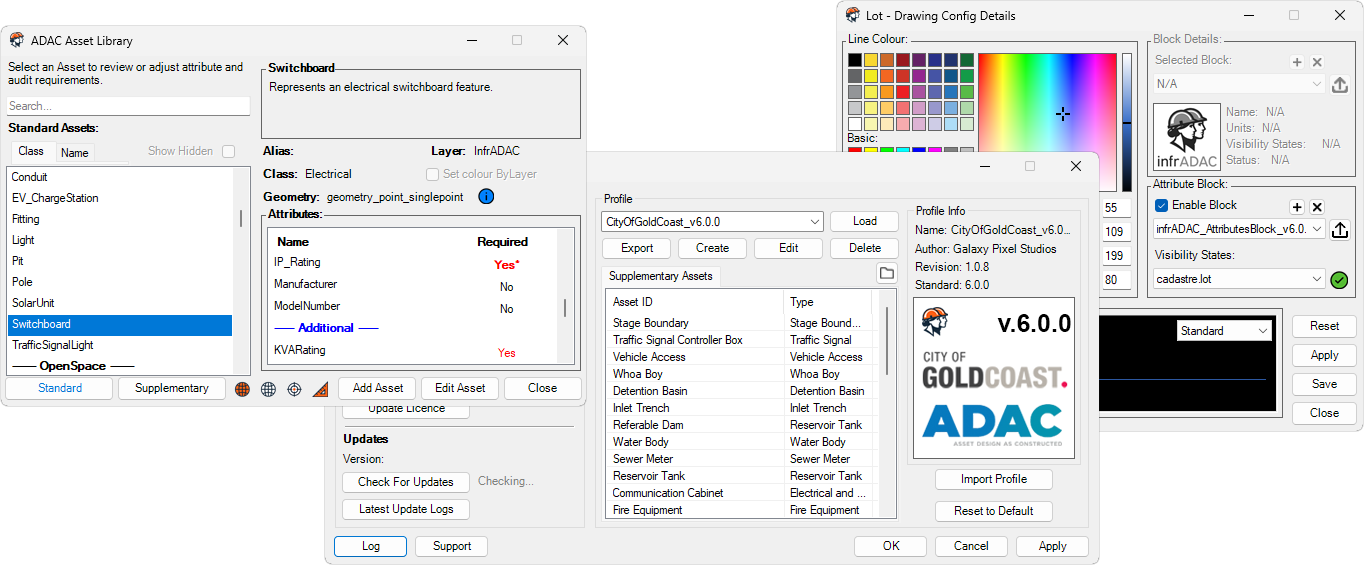
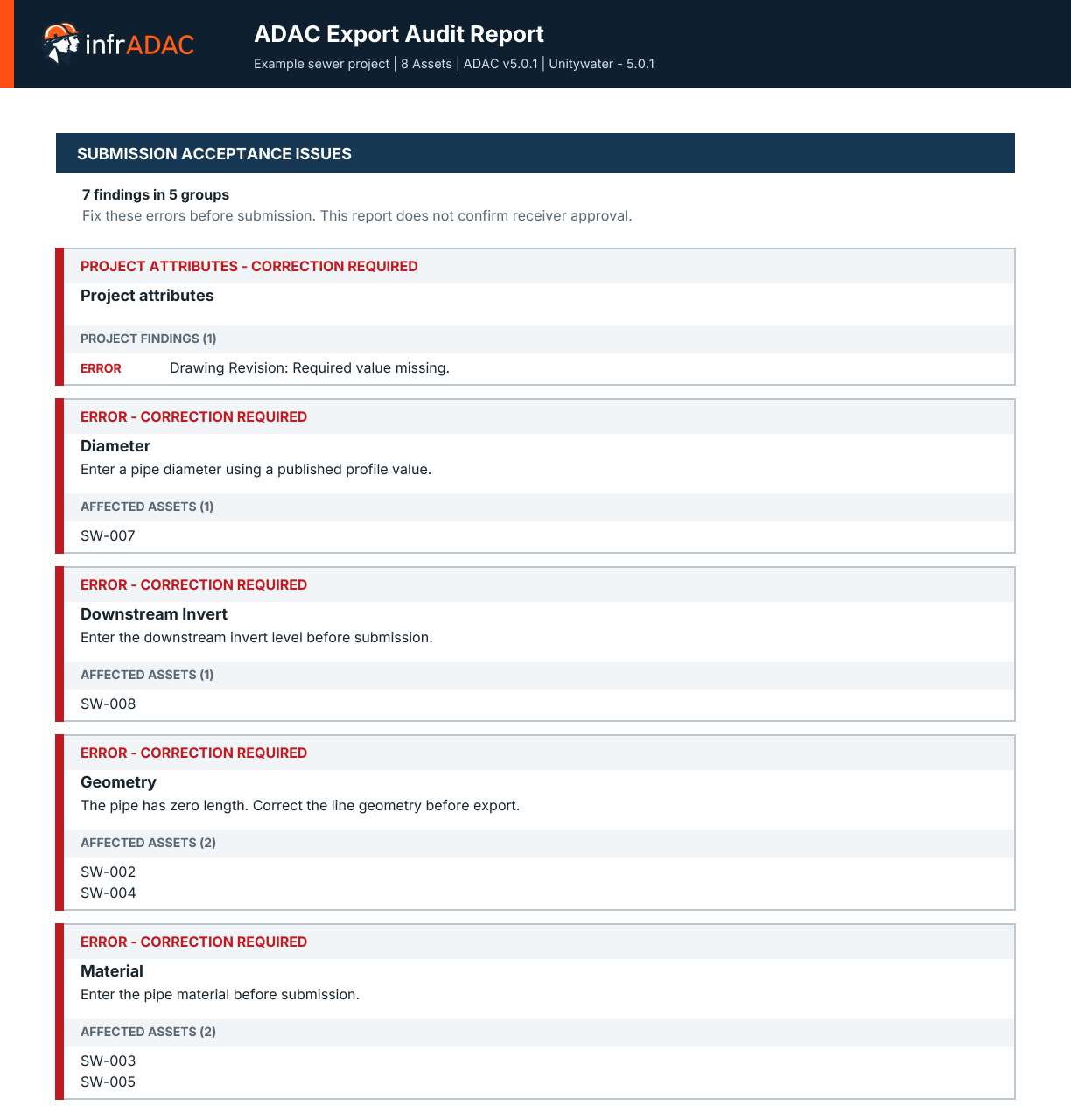
Run the selected receiver rules across project and asset data. Resolve reported issues before delivery.
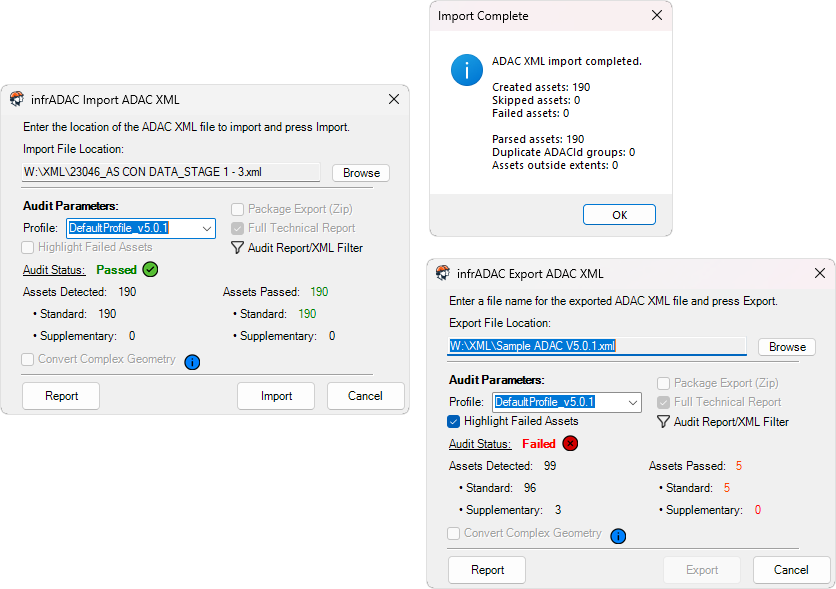
Import existing ADAC XML for continued work or export the completed XML and audit report for delivery.
Open the file in infrADAC Map to review mapped geometry, project data and asset attributes. Use Map Pro when the delivery needs a full audit, detailed evidence or remediation.
Installation
The updated installer guides you through licence activation, your design program and the receiver profiles you need.
LT and Lite installations receive their own bridge and ribbon setup.
Get the installer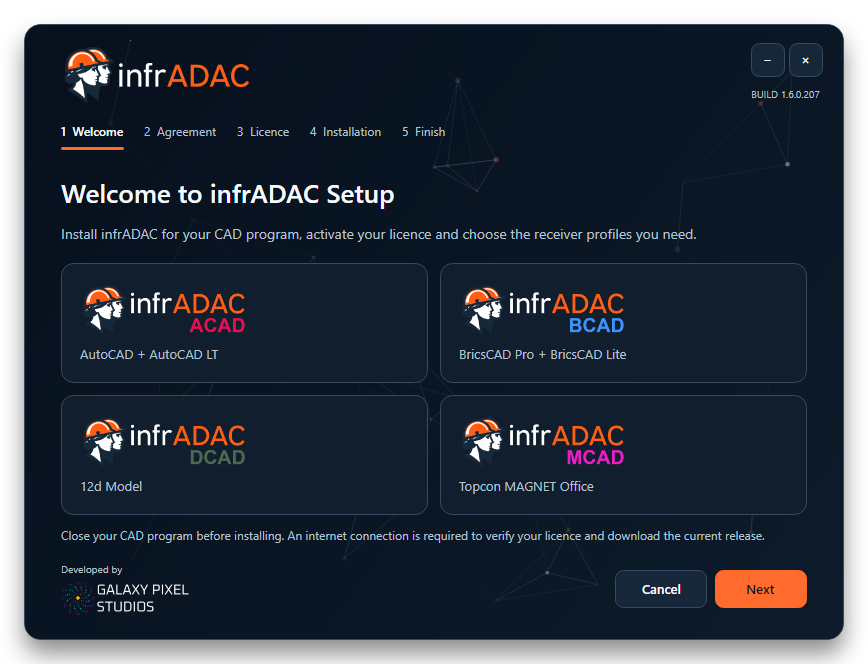
Current software
Plugin
infrADAC v1.6.1.43 - Hotfix XML Geometry Ordering
Combined maintenance release for ACAD, ACAD LT, BCAD, BCAD Lite, DCAD and MCAD, with the matching v1.6.1.43 installer, updater and uninstaller. All existing fixes are retained, including complete ADAC XML element ordering, preservation of attribute values and geometry coordinates, profile linetype resolution, DCAD startup and session routing, queued command handling, diagnostics and the dedicated ADAC Panel icon. Existing ACAD LT, BCAD Lite and MCAD workflows are retained. Automated verification includes the complete ordering catalog and every field sequence across ADAC 4.1, 4.2, 5.0.1 and 6.0.0, the supplied electrical XML through all six delivered exporters, ACAD/BCAD linetype checks, DCAD startup/IPC/bridge checks, startup using the installed runtime, and installer package verification. Interactive acceptance on affected CAD installations remains separate from these automated checks.
View updateMap
infrADAC Map v1.5.0 - Overclocked
Speed without compromise. Map 1.5.0 brings smoother performance, expanded Pro tools and a clearer account experience.
View updateWiki
Import ADAC XML
Audit an ADAC XML file, choose a profile, optionally adopt project attributes and import recognised assets.
View updateReceiver profiles
Every currently available commercial profile is listed below with all supported ADAC Schema versions.
 Bundaberg Regional CouncilQLD · Council v4.1 v4.2
  City of Gold CoastQLD · Council v4.2 v5.0.1 v6.0.0
  City of IpswichQLD · Council v5.0.1
  City of Moreton BayQLD · Council v4.2 v5.0.1
  Gladstone Regional CouncilQLD · Council v4.1 v5.0.1
  Gympie Regional CouncilQLD · Council v4.1 v4.2
  Logan City CouncilQLD · Council v5.0.1
  Mackay Regional CouncilQLD · Council v4.1 v5.0.1
  Noosa CouncilQLD · Council v4.2 v5.0.1
  Port of BrisbaneAuthorities · Authority v4.1
  Redland City CouncilQLD · Council v4.1
  Rockhampton Regional CouncilQLD · Council v5.0.1 v6.0.0
  Shellharbour City CouncilNSW · Council v5.0.1
  Sunshine Coast CouncilQLD · Council v5.0.1 v6.0.0
  Tweed Shire CouncilNSW · Council v5.0.1
  UnitywaterQLD · Utility v5.0.1 v6.0.0
  Urban Utilities QueenslandQLD · Utility v4.2 v5.0.1
  Whitsunday Regional CouncilQLD · Council v5.0.1
  Wollondilly Shire CouncilNSW · Council v5.0.1
 News and releases
Product announcements, technical articles and significant release information.
The infrADAC Wiki connects product manuals, receiver information, technical reference and release guidance across infrADAC Map, Map Pro and the desktop Plugins.
Read articleinfrADAC Map Pro brings full ADAC XML auditing, receiver profile validation, detailed reporting and advanced remediation tools to the browser.
Read articleA practical overview of the structural and workflow considerations introduced with ADAC Version 6 for asset owners, councils, utilities and delivery teams.
Read articleinfrADAC Plugin Tools
Create, validate and deliver compliant ADAC data without leaving the drafting environment your team already uses.
infrADAC Map Pro
Run the complete submission audit, review detailed asset evidence and use Edit, Clean, Compare and Merge/Split tools in one browser workspace.
infrADAC Map
View mapped geometry, project information, asset attributes and supporting files from delivered ADAC data in the browser.
infrADAC Wiki
Use the public knowledge base for asset schemas, council requirements, product workflows and current technical guidance.