
ADAC delivery in BricsCAD Pro and BricsCAD Lite.
Use the same infrADAC project, asset, audit and export tools in BricsCAD Pro or BricsCAD Lite. The Lite installation uses its own compiled LISP bridge and BricsCAD ribbon setup to connect your drawing to the infrADAC desktop application.
Supported host releases
BricsCAD Pro
BricsCAD Pro V26 and later
- BricsCAD Pro V25 Not supported
- BricsCAD Pro V26 Supported
- BricsCAD Pro V27 Pending confirmation
The installer validates the selected BricsCAD release and its registered profile folders.
BricsCAD Lite
BricsCAD Lite V25 and V26 on Windows
- BricsCAD Lite V25 Supported
- BricsCAD Lite V26 Supported
- BricsCAD Lite V27 Pending confirmation
V25 and V26 are confirmed compatible. V27 is pending confirmation.

Capabilities
The complete BricsCAD workflow from drawing to delivery.
Use BricsCAD Pro selection and drawing feedback while infrADAC manages the project structure, asset definitions and ADAC output.
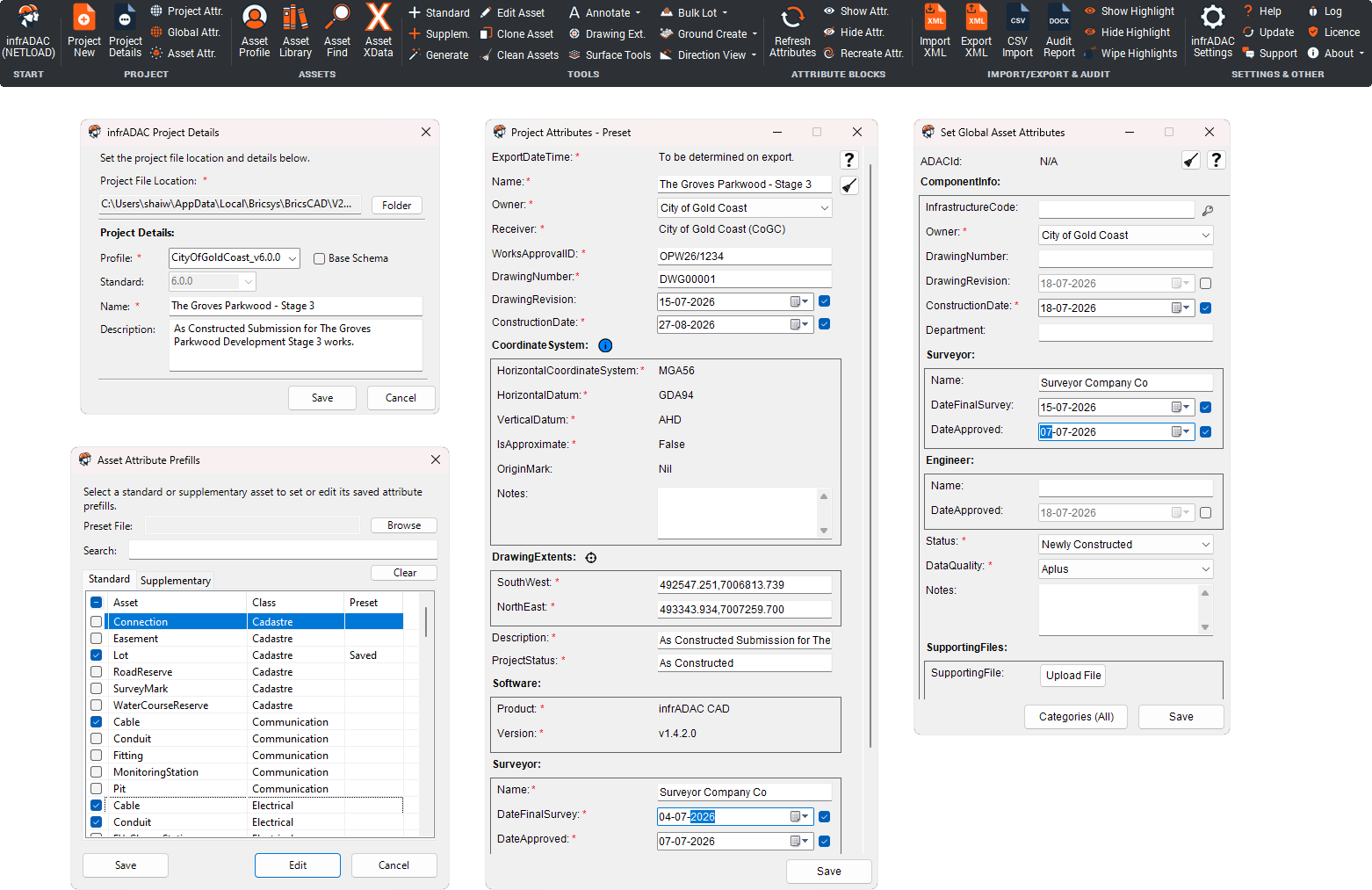
Start from the dedicated infrADAC ribbon
Access project, asset, audit and delivery commands from the installed BricsCAD Pro ribbon.
Project and shared attributes
Set the receiver profile, project information, drawing extents and shared attribute values in one connected workflow.
Assets from your geometry
Create standard and supplementary ADAC assets from supported BricsCAD geometry while retaining the drawing connection.
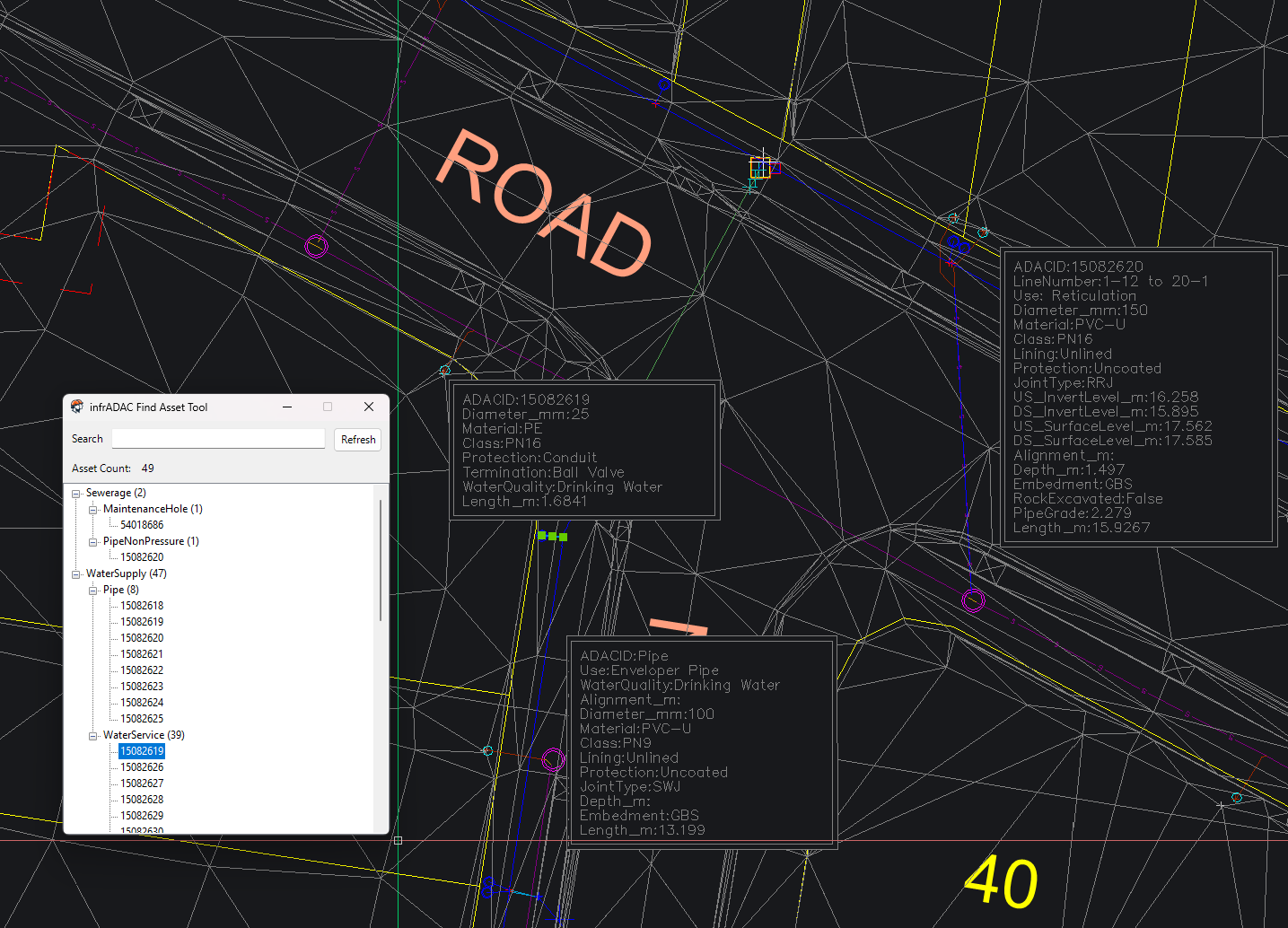
Edit, clone and easily find assets
Maintain assets in the drawing and return directly to the object that needs attention.
Annotations and dimensions
Add supported annotations and dimensions alongside the ADAC asset data.
Process assets efficiently in bulk
Create lots, easements, contours, spot heights and breaklines in bulk with ground surface and flow direction tools for supported assets.
Import, audit and export
Import supported ADAC XML or CSV data, run the selected receiver checks, then export the ADAC XML and PDF audit report.
Project setup
Keep the project close to your drawing.
Set the receiver profile, project details and shared attributes for your BricsCAD project.
Host integration
How BCAD works in BricsCAD Pro + BricsCAD Lite.
BricsCAD Pro ribbon and commands
BCAD installs its host interface into supported BricsCAD Pro releases and works with BricsCAD drawing entities and selection.
Infrastructure asset coverage
The implemented libraries cover cadastre, open space, sewerage, stormwater, transport, water supply and surface assets.
Audit linked to the drawing
Audit findings can be located against the drawing so the user can return directly to the asset that needs attention.
Workflow
From setup to a reviewable ADAC delivery.
- 01
Configure
Create the project, select the receiver profile and set drawing extents and reusable attribute values.
- 02
Create
Generate or import assets, complete their structured attributes and maintain them as the design changes.
- 03
Audit
Run the profile checks and work through the reported assets in the drawing.
- 04
Deliver
Export the ADAC XML, PDF audit report and supporting project files.
Asset authoring
Edit the asset where you work.
Use the asset library and drawing annotations to inspect definitions and maintain structured asset data in model space.
Receiver profiles
Council and Utility Profiles available for BCAD.
Each individual profile shows the ADAC Schema versions currently supported by the catalogue.
-
 Port of Brisbanev4.1
-
 Shellharbour City Councilv5.0.1
-
 Tweed Shire Councilv5.0.1
-
 Wollondilly Shire Councilv5.0.1
-
 Bundaberg Regional Councilv4.1 · v4.2
-
 City of Gold Coastv4.2 · v5.0.1 · v6.0.0
-
 City of Ipswichv5.0.1
-
 City of Moreton Bayv4.2 · v5.0.1
-
 Gladstone Regional Councilv4.1 · v5.0.1
-
 Gympie Regional Councilv4.1 · v4.2
-
 Logan City Councilv5.0.1
-
 Mackay Regional Councilv4.1 · v5.0.1
-
 Noosa Councilv4.2 · v5.0.1
-
 Redland City Councilv4.1
-
 Rockhampton Regional Councilv5.0.1 · v6.0.0
-
 Sunshine Coast Councilv5.0.1 · v6.0.0
-
 Unitywaterv5.0.1 · v6.0.0
-
 Urban Utilities Queenslandv4.2 · v5.0.1
-
 Whitsunday Regional Councilv5.0.1
Delivery
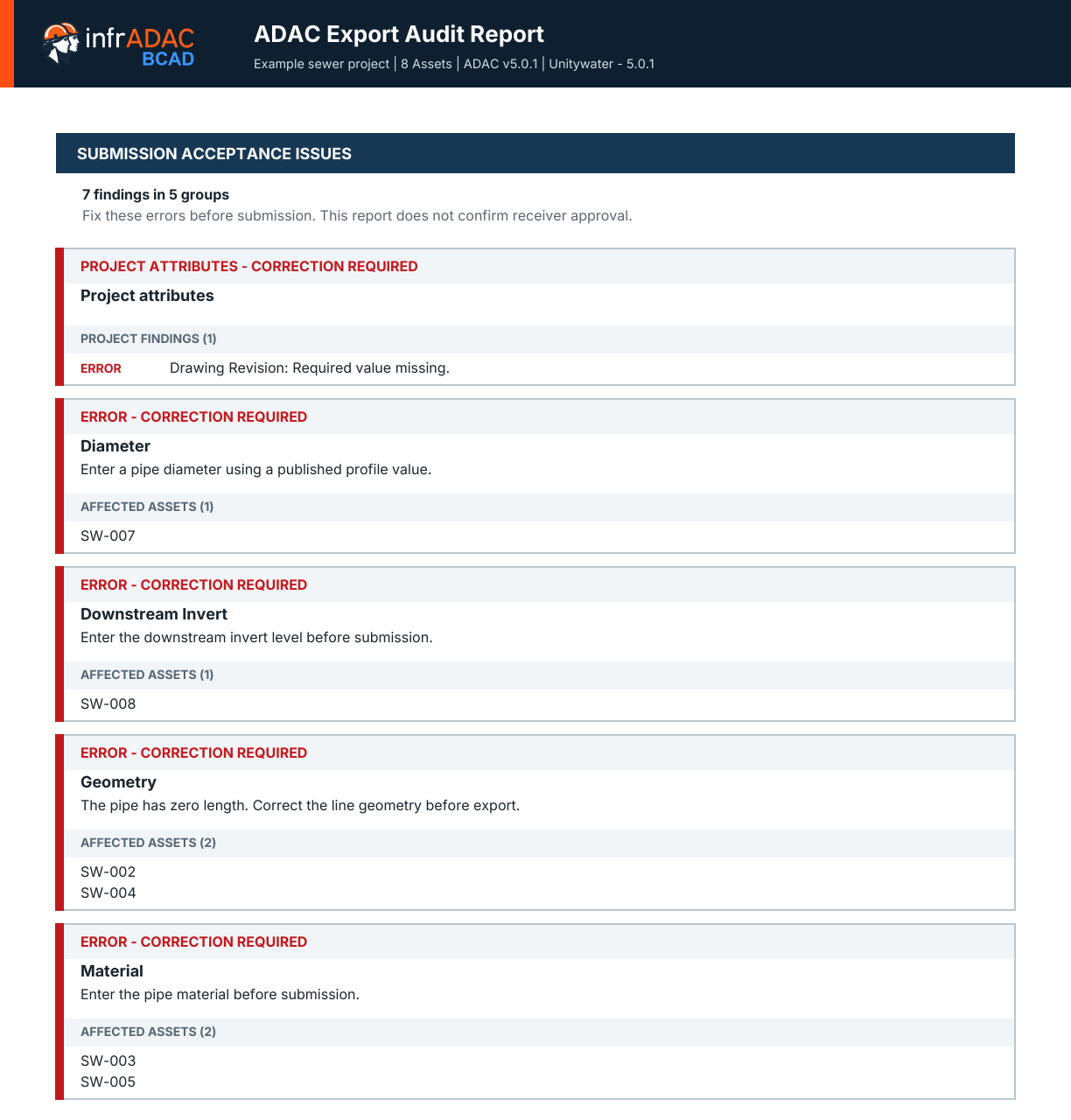
Resolve audit findings and export.
Show the audit results beside identified drawing assets and the completed export controls.

Included with every active BCAD licence
Continue the submission workflow in Map Pro.
Each active BCAD seat includes Map Pro access. The receiver profiles purchased for the Plugin remain available to the same account in Map Pro.
Licensing
Licence BCAD for the way your team works.
infrADAC BCAD is licensed annually per seat.
$800 AUD Annual, excluding GST
Computer Based
Assigned to one registered computer and included with the selected BCAD seat.
Floating
One annual Bolt-on for the selected BCAD licence pool with one active checkout for each purchased seat.
Network Floating
One annual Bolt-on for local network checkout from the selected BCAD licence pool.
Current release