
MAGNET Office + Topcon Office
Your survey project.
Your ADAC delivery.
Bring your survey and design work into infrADAC MCAD. Create structured assets, apply receiver profiles, audit the project and export ADAC XML from a workspace connected to MAGNET Office and Topcon Office.
Supported host releases
MAGNET Office / Topcon Office
MAGNET Office and Topcon Office on Windows
The installer connects the infrADAC ribbon to the selected MAGNET Office or Topcon Office installation.
Connected to your project
From survey geometry
to structured asset data.
Use the geometry in your MAGNET Office or Topcon Office project while infrADAC handles asset attributes, receiver requirements and ADAC output.
Project and receiver setup
Select the receiver profile, complete the project details and reuse global and asset attributes.
Asset creation and editing
Create standard and supplementary assets from supported point, line and area geometry. Edit, clone or find existing assets as the project changes.
Bulk asset workflows
Process lots, easements, contours, spot heights and breaklines with the infrADAC asset tools.
Import and exchange
Import ADAC XML and use MAGNET exchange packages that retain infrADAC asset information.
Receiver audit
Review the project and asset findings in the connected workspace and produce the audit report.
ADAC delivery
Export ADAC XML with the project attributes, asset information and supporting files needed for handover.
A clear delivery workflow
Configure. Create. Audit. Deliver.
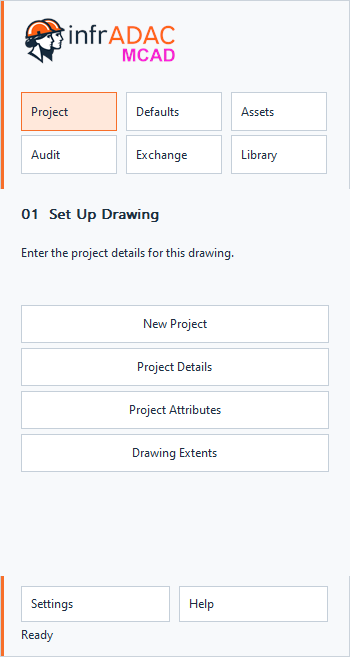
The dedicated MAGNET ribbon opens infrADAC tools in the context of your project.
- 01
Configure
Select the project and receiver profile. Complete the project details and reusable attributes.
- 02
Create
Create or import assets from the project geometry and complete the required information.
- 03
Audit
Review the receiver checks and resolve the reported project and asset findings.
- 04
Deliver
Export ADAC XML and the audit report for the completed project.
Audit and delivery
Read the findings.
Complete the delivery.
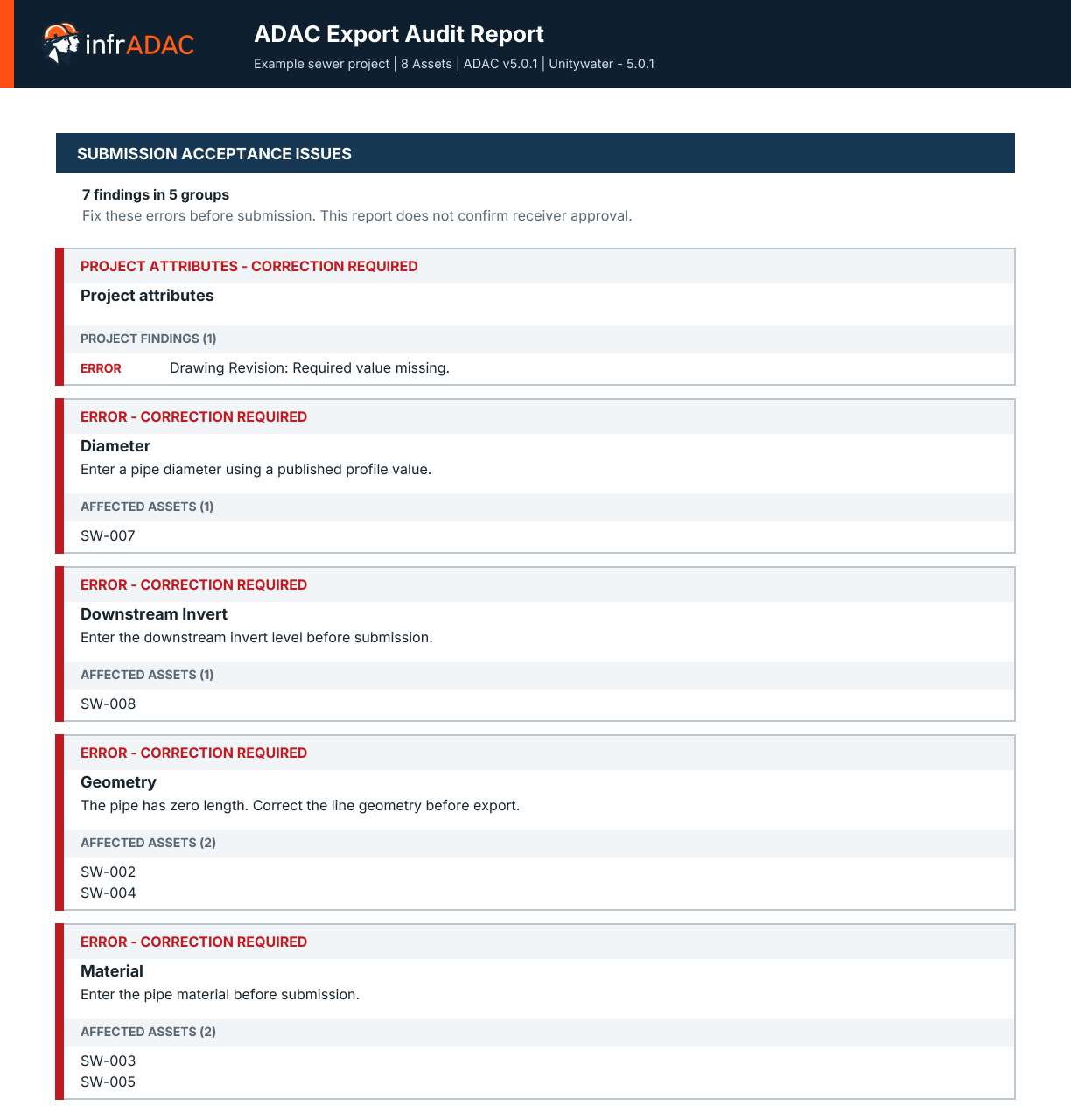
Review the project and asset checks before export. The PDF report identifies affected assets and explains the information that needs attention.
The new infrADAC installer
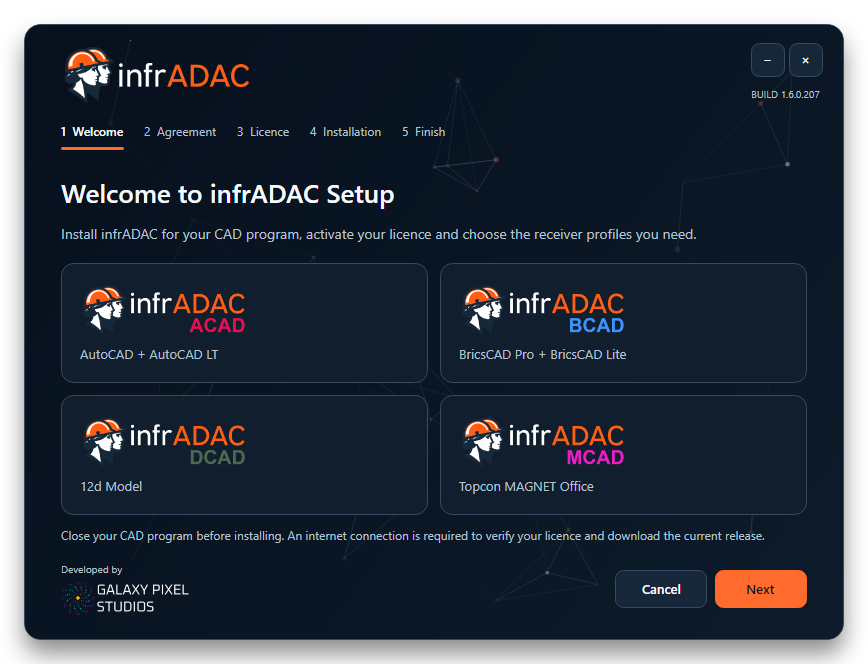
Set up MCAD
with the right profiles.
Activate your licence, select the MAGNET Office or Topcon Office installation and choose your receiver profiles. One receiver selection includes all available schema profiles for that council or utility.
Receiver profiles
The destination shapes the delivery.
Use the council and utility profiles shared across the infrADAC platform.
-
 Port of Brisbanev4.1
 -
 Shellharbour City Councilv5.0.1
 -
 Tweed Shire Councilv5.0.1
 -
 Wollondilly Shire Councilv5.0.1
 -
 Bundaberg Regional Councilv4.1 · v4.2
 -
 City of Gold Coastv4.2 · v5.0.1 · v6.0.0
 -
 City of Ipswichv5.0.1
 -
 City of Moreton Bayv4.2 · v5.0.1
 -
 Gladstone Regional Councilv4.1 · v5.0.1
 -
 Gympie Regional Councilv4.1 · v4.2
 -
 Logan City Councilv5.0.1
 -
 Mackay Regional Councilv4.1 · v5.0.1
 -
 Noosa Councilv4.2 · v5.0.1
 -
 Redland City Councilv4.1
 -
 Rockhampton Regional Councilv5.0.1 · v6.0.0
 -
 Sunshine Coast Councilv5.0.1 · v6.0.0
 -
 Unitywaterv5.0.1 · v6.0.0
 -
 Urban Utilities Queenslandv4.2 · v5.0.1
 -
 Whitsunday Regional Councilv5.0.1
Licensing
An MCAD licence for your team.
Each desktop edition is licensed separately. Receiver profiles and optional Floating or Network Floating licence modes are selected for your delivery requirements.
$800 AUD Annual, excluding GST
Computer Based
Assigned to one registered computer and included with your MCAD seat.
Floating
An optional annual addition for the MCAD licence pool with one active checkout for each purchased seat.
Network Floating
An optional annual addition for checkout within your local network.

Included with an active MCAD licence
Continue the review in Map Pro.
Review ADAC XML in the browser with full audit evidence, profile controlled editing and tools to compare and restructure deliveries. Profiles purchased for your MCAD licence remain available to the same account in Map Pro.
Explore Map ProCurrent release